Export Payment or Deposit Data
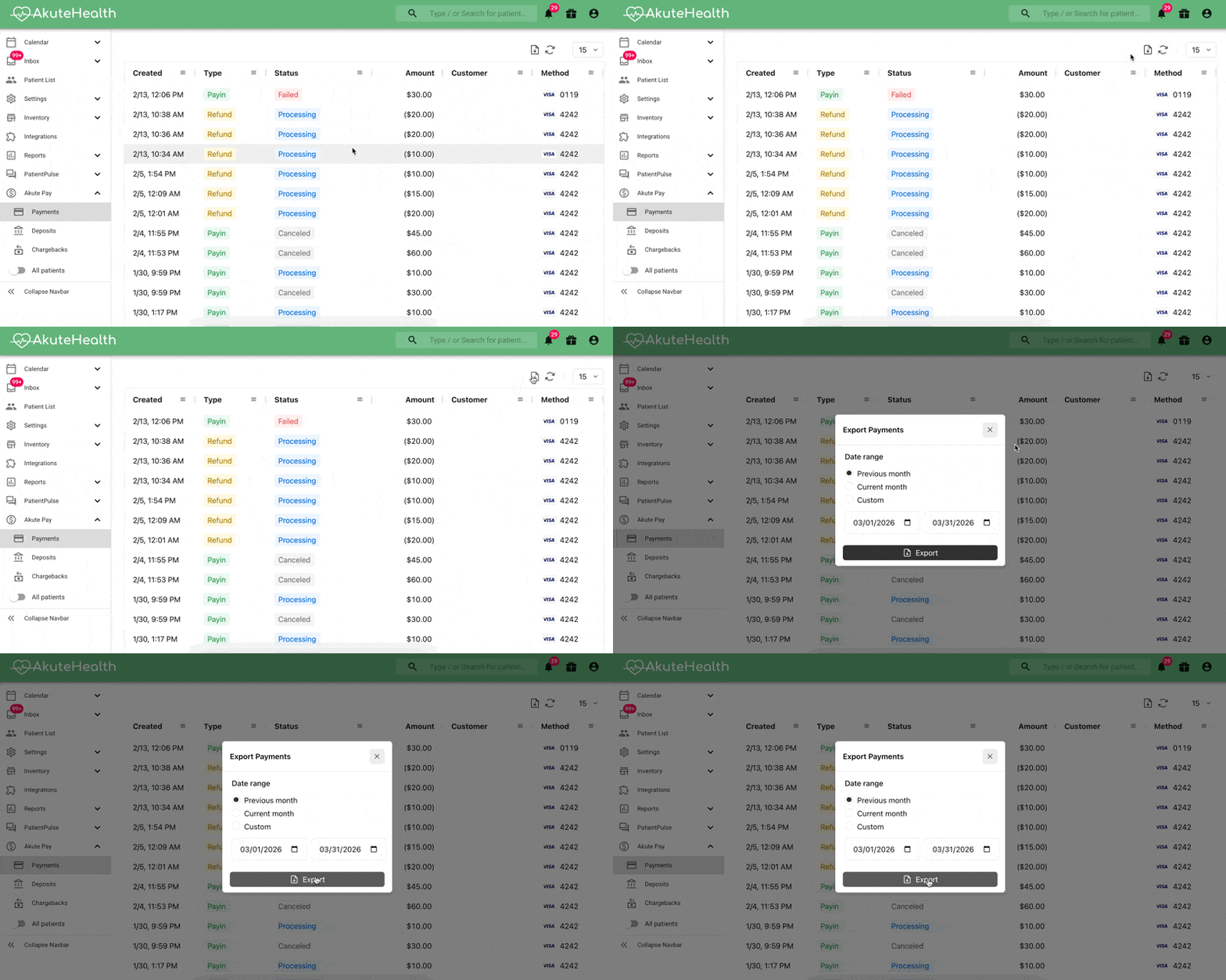
- Open the Payments or Deposits tab from your Akute Pay portal menu
- Click the green download icon in the upper right corner of the table
- Select your date range (maximum 31 days)
- Note: For data spanning multiple months, repeat this process for each 31-day period
- Click Export